
Table of Contents
A medical practice with multiple locations does not have one access point to protect. Staff work from different clinics, providers move between branches, billing teams connect remotely, and vendors may need limited access to shared systems. When each location handles access differently, patient systems become harder to control, monitor, and secure.
In 2024, healthcare organizations reported more than 700 large data breaches to HHS OCR, affecting over 180 million user records. Secure remote access architecture helps medical practices control who connects, what they access, and how that access is reviewed or removed. In this guide, we’ll explain how to build it across locations, users, vendors, and systems.
What Secure Remote Access Architecture Means
Secure remote access architecture is the structure an organization uses to control access to its systems from outside a single fixed network. A strong architecture is built around clear access policies, approved entry points, IP allowlisting, user roles, vendor limits, secure connection paths, and centralized management.
The goal is to keep remote access controlled and consistent across every location, rather than letting each location or user group handle it differently. Otherwise, policies become inconsistent and sensitive systems may be reachable through too many paths, making access harder to review, update, and remove when roles change.
Why Multi-Location Remote Access Gets Complicated
Here’s why remote access becomes harder to manage for medical practices with multiple locations:
Different Locations May Use Different Access Habits
Each clinic may have its own network, devices, workflows, and local access practices. One location may rely on an approved clinic network, while another may allow staff to connect from different networks or devices without the same level of control.
That inconsistency makes remote access harder to manage across the practice. IT teams may struggle to apply the same rules everywhere, review access properly, or confirm whether sensitive systems are only being reached through approved paths.
Staff May Move Between Clinics
Providers, managers, and administrative staff may work across more than one clinic. They still need access to the same systems, but their access should not depend on the local network or device they are using that day.
Without a consistent access model, staff movement can create gaps in control. One clinic may have stricter access rules than another, making it harder to keep user permissions, connection paths, and system access consistent across all locations.
Shared Systems Serve Multiple Locations
EHR, billing, scheduling, and admin systems often support more than one clinic. If access to these systems is not managed consistently, one weak access path can affect tools used across the entire practice.
Shared systems need clear access rules across every location. Teams should know who can reach each system, where those connections should come from, and when access needs to be reviewed or removed.
Remote and Central Teams Add More Entry Points
Billing teams, administrative staff, and support teams might not work from the same clinic every day. Some connect from a central office, while others work remotely or handle work for several clinics across the practice.
Each access point needs the same level of control. If remote and central teams connect through different methods, it becomes harder to apply consistent rules, limit access to approved systems, and see where connections are coming from.
Vendors Need Controlled Access
Medical practices may work with vendors for IT support, billing, software maintenance, claims processing, or other operational tasks. Some vendors may need access to specific systems, but that access should be limited to the work they need to complete.
Vendor access becomes risky when it is broad, permanent, or handled outside the main access policy. Practices need a clear way to approve vendor access, restrict it to the right systems, and remove it when the work ends.
How to Build a Secure Remote Access Architecture
Building a secure remote access architecture for medical practices with multiple locations starts with:
Mapping Every Location and Access Point
The first step is to understand where access starts and where it leads. Include clinic locations, remote staff, mobile providers, billing teams, admin teams, IT vendors, and any other users who need to reach shared systems.
Also account for the systems being accessed, like EHR or EMR platforms, billing software, scheduling tools, and patient communication systems. Once these paths are clear, it becomes easier to decide which systems need stricter controls and who should be allowed to access them.
Creating One Access Policy for All Locations
Each clinic should not create its own separate rules for remote access. A multi-location practice needs one standard policy for how users are approved, how they sign in, which systems they can reach, and how access is removed when it is no longer needed.
Different permissions can still apply for clinicians, billing teams, admins, and vendors. The important part is that the rules are managed centrally, so access does not depend on which branch a user works from or which local process was used.
Using Approved Entry Points for Sensitive Systems
Sensitive systems should not be reachable from any network or connection path. EHR or EMR platforms, billing tools, admin systems, and vendor portals should only accept access from approved entry points.
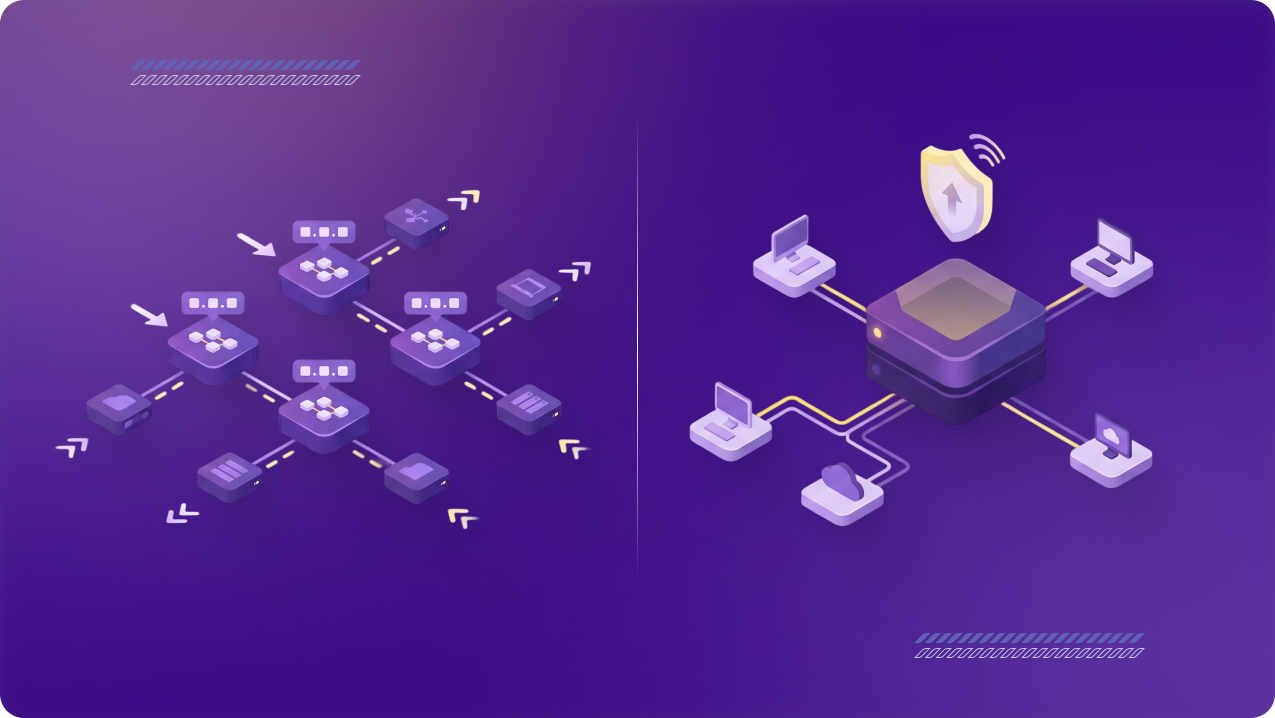
Approved entry points can include secure VPN connections that route users through static or dedicated IPs. Those IPs can then be added to system allowlists, so sensitive tools only accept access from approved sources. IT teams can control where access comes from, instead of leaving sensitive systems open to too many connection paths.
Separating Access by User Type
Different users need different levels of access. Clinicians may need access to patient records, billing teams may need claims or payment systems, front-desk staff may need scheduling tools, and vendors may only need limited access for support or maintenance.
Access should reflect the user’s job, location, and system needs. A provider moving between clinics, a remote billing user, and an IT vendor should not all have the same permissions or access the same systems.
Keeping Access Consistent for Staff Moving Between Locations
Providers, nurses, managers, and admin staff may work across more than one clinic. Their access should follow the same process from any location, instead of depending on each location’s local network rules.
A consistent access path makes it easier to manage staff who rotate between clinics. It also reduces the need for location-by-location exceptions and helps keep login requirements, permissions, and system access aligned across the practice.
Limiting Vendor Access to Specific Systems and Timeframes
Vendors may need access for IT support, billing, software maintenance, claims processing, or other operational work. That access should be approved for a specific purpose and limited to the systems needed for that work.
Vendor permissions should not stay active by default. Access should be reviewed, tracked, and removed when the work ends, so external users do not keep a permanent path into sensitive systems.
Managing Access from One Central Place
Multi-location practices need one central place to manage users, permissions, vendors, and access changes. Without central management, each clinic can still end up with its own process, even if the practice has strong access rules on paper.
Centralized management makes it easier to add users, remove access, change permissions, review activity, and apply the same policy across every location. It also gives IT teams a clearer view of who can access what across the practice.
How PureVPN for Teams Supports Secure Multi-Location Remote Access
PureVPN for Teams helps medical practices create controlled access paths across clinics, remote staff, and vendors. Teams can use secure VPN connections with static or dedicated IPs to support system allowlisting, so sensitive tools are accessed through approved sources instead of changing or unmanaged networks.
Admins can manage users from a central dashboard, apply MFA or SSO, and use SCIM provisioning where needed. Features like device posture checks, endpoint security rules, and user activity reporting can also help teams review access and keep controls consistent as staff, vendors, and locations change.
[CTA – Get PureVPN for Teams]
Final Thoughts
Secure remote access is not just about connecting from outside the clinic. Multi-location practices need one controlled structure for clinics, staff, vendors, and systems. With the right architecture, sensitive systems stay reachable for authorized users without letting access become fragmented.