
Table of Contents
Contractor access can get messy quickly in consulting firms. Someone joins for one client project, moves to another a few weeks later, gets an extension, or finishes earlier than expected. Each change can affect which systems, files, client environments, and permissions they should have.
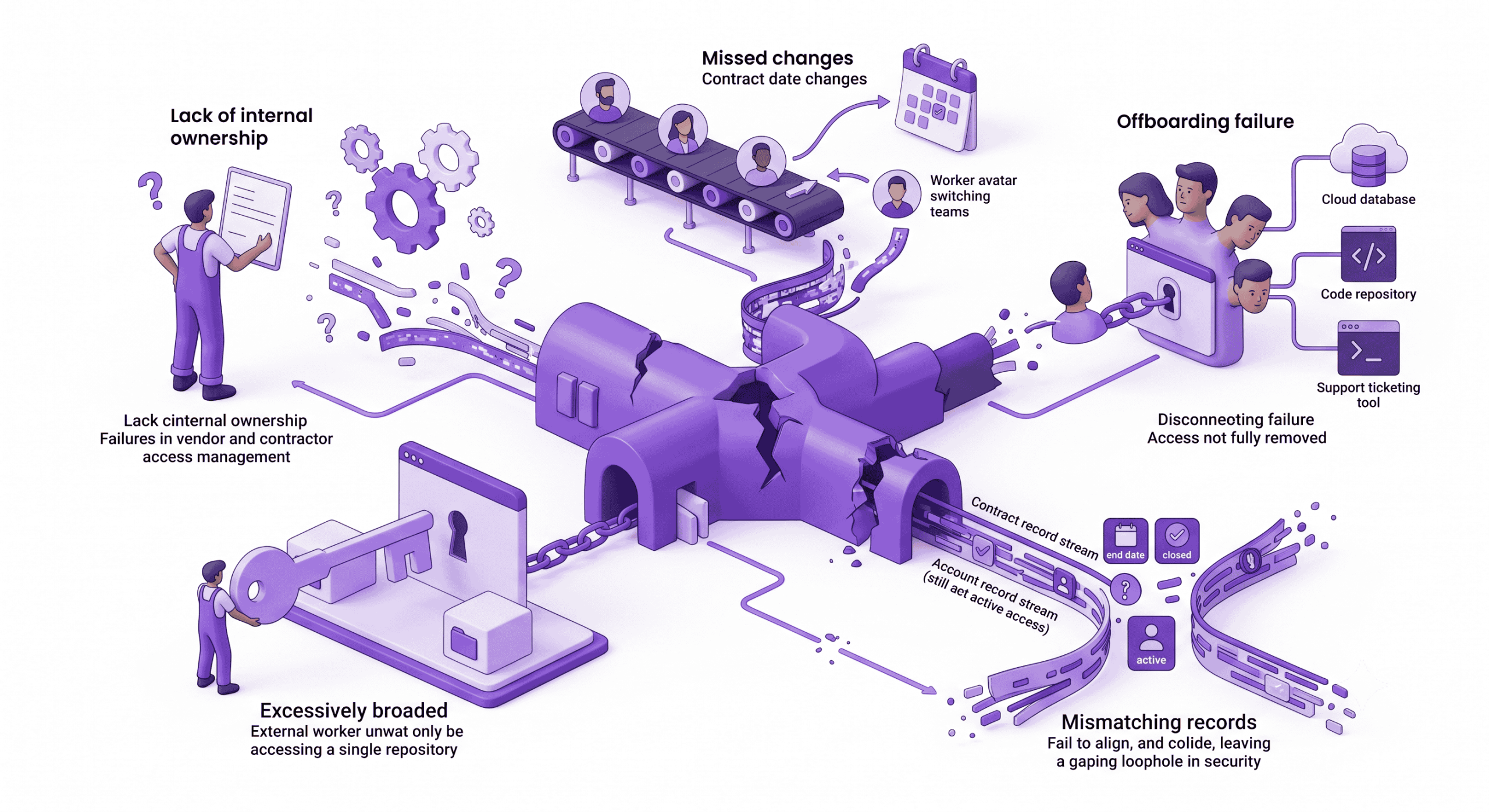
However, resource managers, service delivery leads, and IT often control different parts of that process. One team knows the assignment has changed, while another controls the accounts. If those updates do not stay aligned, contractors can start work without the access they need, keep permissions from an old project, or remain active after the engagement ends.
In this guide, we look at what contractor lifecycle management includes, where access control commonly breaks down in consulting firms, and how teams can tie onboarding, project changes, extensions, and offboarding to the right access decisions.
What Contractor Lifecycle Management Includes
Contractor lifecycle management covers the stages a contractor moves through while working with a consulting firm, from initial approval and assignment through onboarding, active project work, extensions, project changes, pauses, and offboarding. Access control sits inside that lifecycle because each stage can change what the contractor needs.
A new assignment may require access to a client environment or internal tools. A project move may mean removing old permissions before adding new ones. An extension can affect account expiry dates, while offboarding should trigger the removal of access altogether. If the assignment changes, the access record should change with it.
Why Consulting Firms Struggle With Contractor Access
Contractors in consulting firms often move between clients, projects, and internal teams much faster than permanent employees change roles. Each move can come with a different set of systems, permissions, device requirements, or client security rules. Several parts of the process can make access harder to keep accurate:
- Different teams hold different information: Resource managers know when assignments start, change, or end, while IT controls the accounts and permissions.
- Clients may control part of the access: The consulting firm may not be able to create, change, or remove accounts inside a client environment directly.
- Assignments can change mid-project: A contractor may switch projects, take on new responsibilities, or extend their engagement while old access remains active.
- Access can span several environments: The same contractor may need internal systems and multiple client platforms at the same time.
If those changes are not reflected quickly, the access a contractor holds can stop matching the work they are actually doing.
Where Contractor Access Commonly Goes Wrong
Most consulting firms do not lose control of contractor access all at once. It usually starts with smaller misses like these:
Access Is Requested Before the Role Is Clear
Access requests sometimes arrive before the project owner has confirmed exactly what the contractor will be doing. IT then has to work from a broad role description, which can lead to permissions being granted for systems or data the contractor does not actually need.
Old Client Access Remains Active
Moving a contractor to a new project does not automatically remove access to the previous one. If the old permissions are not reviewed during reassignment, the contractor can end up carrying client access from one engagement into the next.
Accounts Are Created Without an End Date
A contractor may have a fixed assignment end date while their accounts remain open-ended. Unless someone later asks IT to disable them, those accounts can stay active beyond the work they were created for, sometimes long after the project has ended.
Contract Extensions Do Not Reach IT
Project teams may agree to extend an engagement without updating the systems that control account expiry. The contractor then reaches the original end date with valid work still to do, but accounts or temporary permissions may expire as planned.
Client-Controlled Accounts Fall Outside Internal Offboarding
Consulting firms can remove access to their own systems, but client accounts are often managed elsewhere. If nobody is responsible for confirming removal with the client, those accounts can remain active after the contractor has left the engagement.
Shared Credentials Hide Individual Activity
When several contractors share one account, individual activity becomes harder to trace. Removing one contractor’s access can also mean changing the credentials for everyone else using that account, which makes offboarding harder to handle cleanly.
How Access Control Should Follow the Contractor Lifecycle
Giving access at the start is only one part of the job. The harder part is keeping it accurate as the assignment changes. Here is how that should work across the contractor lifecycle:
Before the Contractor Starts
Before creating accounts, confirm the contractor’s client, project, role, start and end dates, internal owner, required systems, and any client rules around devices, MFA, network access, or higher-risk permissions. Named accounts should be used where possible, with expiry dates tied to the expected end of the assignment where supported.
Some client or internal systems also restrict access by IP address. In those cases, a business VPN with a dedicated IP such as PureVPN for Teams can give approved contractors a consistent address that IT can allowlist.
During the Assignment
Access should stay tied to the work the contractor is actually doing. If their responsibilities expand, the additional permissions should be approved rather than added informally. Temporary access deserves particular attention.
Production permissions, administrative rights, or access granted for a specific task should have a clear reason and, where possible, an expiry date. Otherwise, temporary access has a habit of becoming permanent simply because nobody goes back to remove it.
When the Contractor Changes Projects or Roles
Moving to a new assignment should trigger a fresh access review. The new project may require different systems, client environments, or connection rules, but that does not mean the old access should remain in place.
The firm should:
- Remove permissions tied to the previous client or project.
- Confirm which internal access still applies.
- Review the new assignment’s systems and permission requirements.
- Update the contractor’s owner, client, role, and expected end date.
- Coordinate with the previous client where the firm cannot remove the account directly.
Do not simply add the new permissions and leave the old ones in place.
When a Contract Is Extended or Paused
An extension should update more than the contract record. Account expiry dates, temporary permissions, and any time-limited connection access should reflect the new end date as well. A pause needs a different decision.
If the contractor will not be working for a longer period, it may make more sense to suspend access rather than leave accounts active for a possible future assignment. When the contractor returns, the firm can review what they actually need instead of assuming the old permissions still fit.
When the Engagement Ends
Offboarding should remove every form of access tied to the contractor, not just the main company account. That can include:
- Disabling identity, email, VPN, cloud, repository, ticketing, and administrative accounts.
- Revoking active sessions, credentials, tokens, certificates, and API keys assigned to the contractor.
- Recovering company devices, access cards, and other assets.
- Transferring files and unfinished work to the project owner.
- Asking the client to remove any accounts the consulting firm does not control.
Someone should also confirm that these tasks were completed. A closed ticket or recorded end date does not mean much if one of the actual accounts is still active.
Who Owns Each Part of the Contractor Lifecycle?
Resource managers, service delivery leads, and IT each control a different part of the contractor lifecycle, so ownership needs to be clear. The table below shows where each team’s responsibility sits:
| Role | Main Responsibility | What They Need to Keep Updated |
| Resource Managers | Keep the contractor’s assignment status accurate | Start and end dates, project or client changes, extensions, pauses, departures, and the current internal owner |
| Service Delivery Leads | Define what the contractor needs to deliver the client work | Required systems, permission levels, higher-risk access, changes in responsibilities, and client-managed accounts |
| IT and Security Teams | Apply, change, and remove technical access | Accounts, permissions, MFA, device and network requirements, VPN or dedicated IP access, expiry dates, and credential revocation |
Frequently Asked Questions
Responsibility is usually shared. Resource managers track assignment changes, service delivery leads define what access the work requires, and IT or security teams create, update, and remove the technical access.
Access should be reviewed whenever the contractor’s role, project, client, or responsibilities change. Time-limited or higher-risk permissions may also need more frequent checks.
Access tied to the previous client should be reviewed and removed where it is no longer needed. The new assignment should then be assessed separately so old permissions are not simply carried forward.
Where the system supports it, expiry dates can help keep access aligned with the planned end of an assignment. They still need to be updated if the contract is extended or the work ends early.
The consulting firm should record which accounts the client controls and who is responsible for requesting changes or removal. Offboarding should include confirmation from the client that access has been removed.
A business VPN can give approved contractors a consistent IP address for systems that use IP allowlisting. PureVPN for Teams can support this connection control, but identity, permissions, and offboarding still need to be managed separately.