
Got questions? Let’s jump on a call
Feel free to reach out for any cyber security help you might need!
 4.5 out of 5
 4.7 out of 5
 Secure remote access for employees, contractors, and approved vendors
Dedicated IP your team or clients can allowlist
Central dashboard for provisioning, billing, and fast revoke
Secure remote access for employees, contractors, and approved vendors
Dedicated IP your team or clients can allowlist
Central dashboard for provisioning, billing, and fast revoke



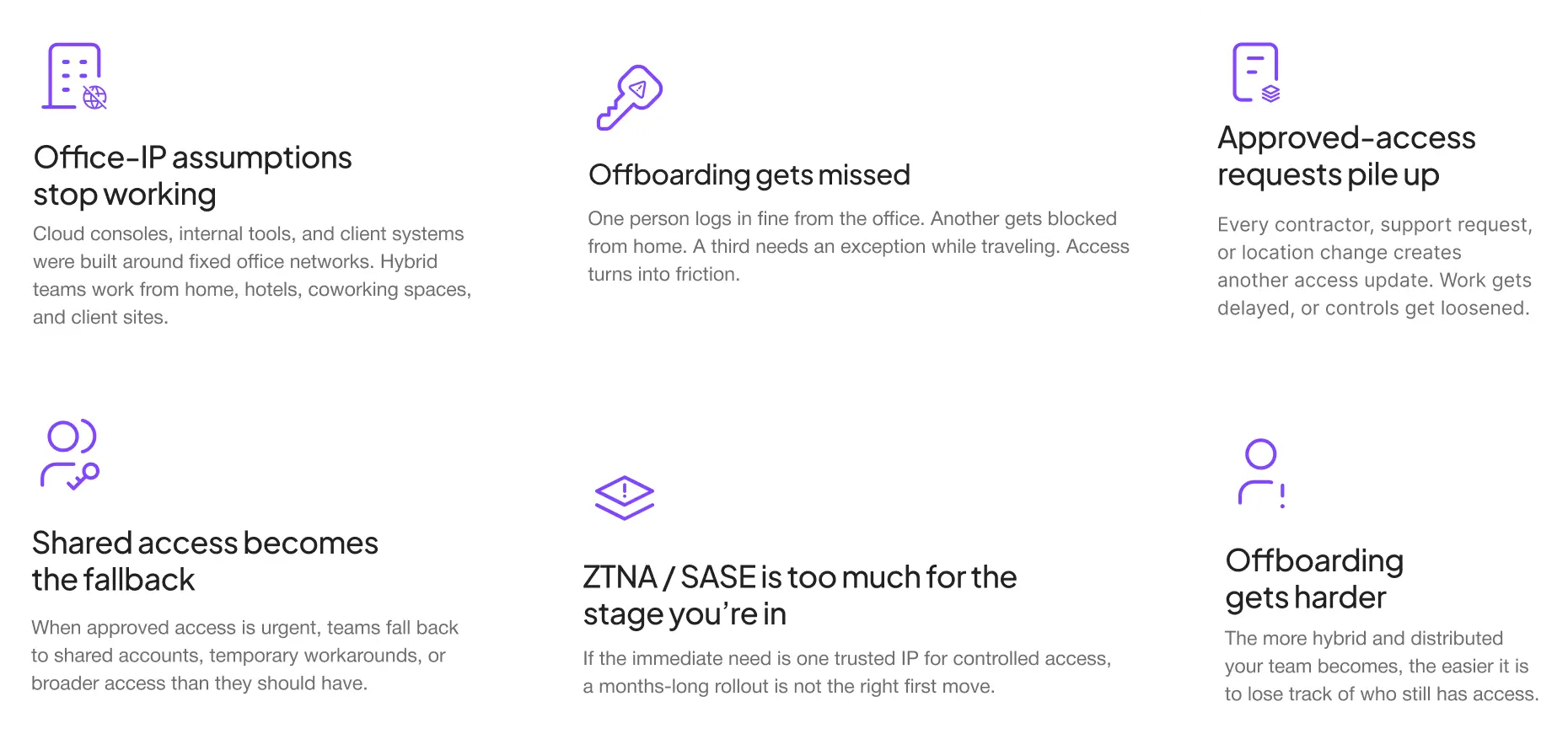
Your tools, client systems, and partner environments were built around known, approved IPs. But your team is distributed, vendors rotate, and client environments don’t follow one rule set. Here’s what breaks.
Cloud consoles, internal tools, and client systems were built around fixed office networks. Hybrid teams work from home, hotels, coworking spaces, and client sites.
The more third parties you work with, the easier it is to lose track of who has access, why they were added, and whether they still need it.
One person logs in fine from the office. Another gets blocked from home. A third needs an exception while traveling. Access turns into friction.
Every contractor, support request, or location change creates another access update. Work gets delayed, or controls get loosened.
If the immediate need is one trusted IP for controlled access, a months-long rollout is not the right first move.
When approved access is urgent, teams fall back to shared accounts, temporary workarounds, or broader access than they should have.
The more hybrid and distributed your team becomes, the easier it is to lose track of who still has access.
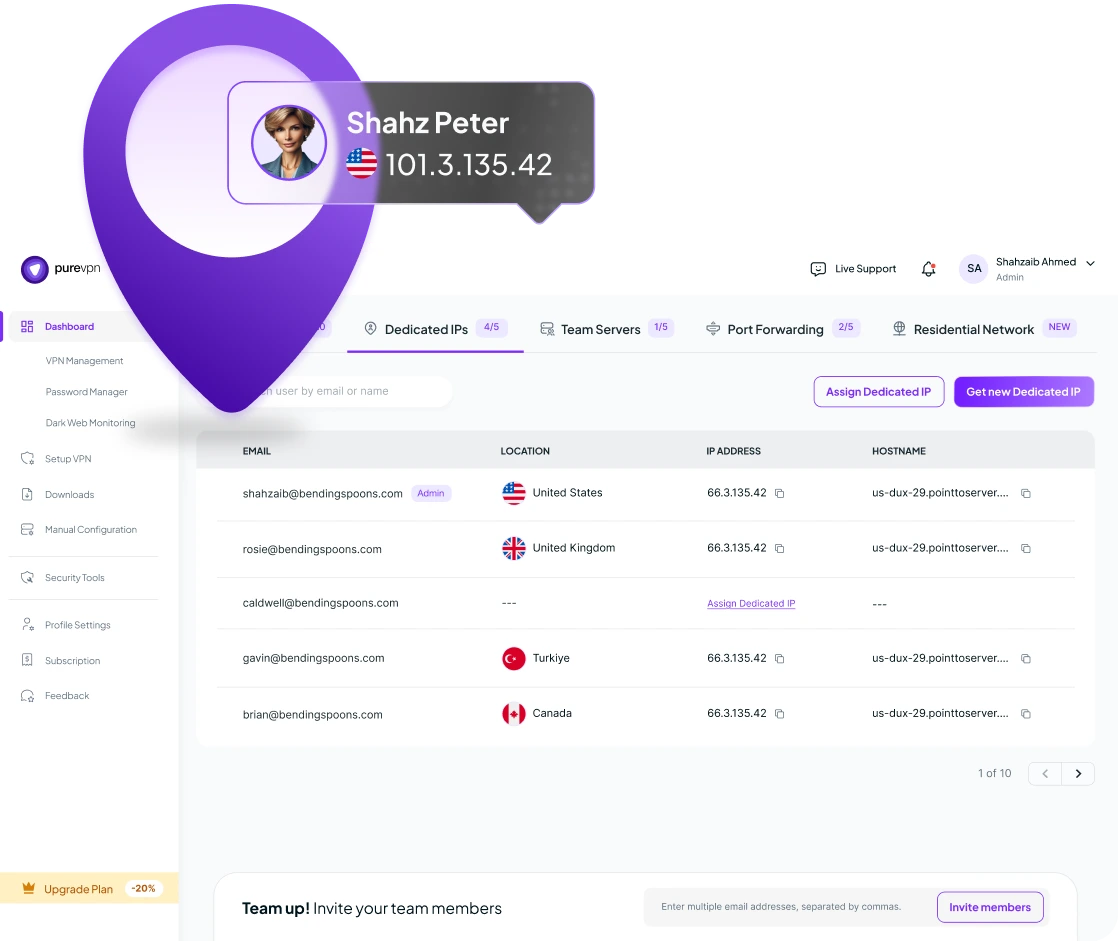
A Dedicated IP gives employees, contractors, and vendors a predictable access path across internal tools, partner systems, and client environments — without rebuilding your access setup.
Assign a dedicated/static IP to a user or group. Your team — or your clients — can allowlist that IP on the systems that matter. Access becomes predictable and stable.
Provision single shared IP for a team, pod, or project group through a team’s server — or assign one dedicated IP to an individual user when tighter control is needed.
Manage users, billing, and provisioning from one place. When someone needs access, get them in fast. When the project ends or a role changes, turn it off just as quickly.
Integrates with cloud consoles, firewalls, admin panels, partner portals, and client systems that rely on approved IP access.
MFA and SSO protect your logins while Dedicated IP ensures controlled consistent access that your team or clients can allowlist.
Minimal setup required. One admin can get the team live quickly — no dedicated project, no long implementation.


Keep approved access stable across home, hotels, coworking spaces, and client sites.
Keep admin panels, cloud consoles, and internal dashboards accessible from one known IP.
Give clients one trusted IP they can allowlist instead of chasing changing networks.
Give temporary users a predictable access path without loosening controls every time.
Use one fixed IP for partner systems, external admin environments, and approved third-party tools.
Support consultants, MSPs, and implementation teams working across multiple client environments.
Global dedicated IPs available—with on-demand custom locations
 New Zealand
 Netherland
 Singapore
 Canada
 Hong Kong
 Malta
Malta
 United States of America
 Germany
 Australia
New Zealand
Netherland
Singapore
Canada
Hong Kong
Malta
United States of America
Germany
Australia
United States of America
Germany
Australia
New Zealand
Netherland
Singapore
Canada
Hong Kong
Malta
United States of America
Germany
Australia
New Zealand
Netherland
Singapore
Canada
Hong Kong
Malta
Australia
New Zealand
Netherland
Singapore
Canada
Hong Kong
Malta
United States of America
Germany
Australia
United States of America
Germany
Australia
New Zealand
Netherland
Singapore
Canada
Hong Kong
Malta
United States of America
Germany
Australia
New Zealand
Netherland
Singapore
Canada
Hong Kong
Malta
Read on to frequently asked questions about PureVPN teams


A Dedicated IP is used for secure remote access, regulatory compliance, and reliable email delivery. It ensures IT and software teams maintain protected, consistent connections for critical tasks. Ideal for securing development environments and meeting standards like GDPR.
Business teams need a Dedicated IP to safeguard data, meet compliance standards like GDPR, and avoid shared IP disruptions. It ensures secure, reliable access for IT and software operations. This supports productivity and builds client trust.
Yes, your team can use a Dedicated IP across multiple devices. PureVPN’s solution supports secure access on various platforms, enhancing flexibility for distributed teams. It’s compatible with Windows, Linux, macOS, iOS, Android, Browser extension, and 10 more platforms.
PureVPN supports up to 1,000 members and multiple Dedicated IPs based on your plan. This scalability meets the needs of growing business teams. Plans offer transparent pricing for easy expansion.
You can assign a single Dedicated IP to multiple team members. PureVPN offers solutions like Team server, easing secured network access for shared network resources.
Feel free to reach out for any cyber security help you might need!

