-
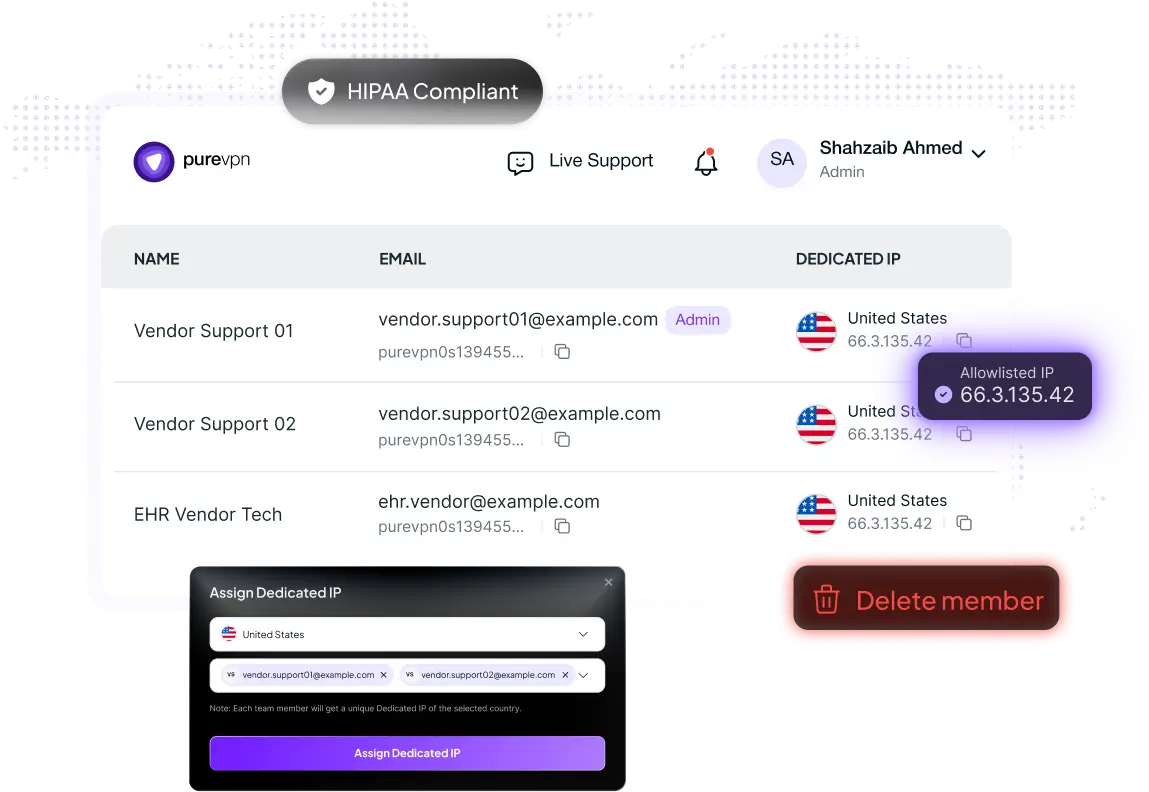
 Whitelist static IPs for each member.
-
Assign one IP across whole team for shared resources.
-
Central dashboard + MFA/SSO.

5000+ world-leading companies choose PureVPN






The gap you’re living with was designed before your team went hybrid
Legacy setups weren’t built for remote radiologists, billing vendors, or traveling nurses. Here’s what breaks down.
IP Allowlisting Breaks Constantly
Staff work from home, travel, and rotate locations. Dynamic home IPs can’t be allowlisted — so you’re either locked out or leaving the door open.
Vendors Need Access, Fast
Your EHR vendor, billing partner, or lab software support team needs in. Provisioning them securely—without a full onboarding process—takes days you don’t have.
No Audit Trail on Who Accessed What
When the auditor asks “who accessed the system on March 12th?”, you need a clean answer. Unmanaged remote access leaves you guessing.
SASE or ZTNA is Overkill Right Now
You’ve seen the pitch decks. A full Zero Trust rollout takes months, a dedicated project team, and a budget that doesn’t exist at a 3-location clinic.
Close the gap in a day.
Without touching your stack.
Healthcare teams need secure remote access without rebuilding infrastructure. PureVPN for Teams adds encrypted connectivity and centralized control, without changing your existing environment.
- Static/Dedicated IPs for Allowlisting
- Central Admin Dashboard
- MFA & SSO Baseline Hardening
- Deploy in Days, Not Months
Assign each user a static IP. Allowlist it in your EHR or internal tool. Access becomes predictable and controllable — no more dynamic IP headaches.
Add remove and manage from one place. When a traveling nurse’s contract ends, you revoke access in under 30 seconds. No AD tickets, no waiting.
Layer multi-factor authentication on top of VPN access. Connect to your existing SSO if you have one. Works as a second lock on every remote session.
No dedicated IT project. No professional services engagement. Your team invites users, assigns IPs, and you’re running. Most setups are live in under a week.
From signup to secure access in under a week
Invite
Add team members and manage access from one dashboard.
Assign IPs
Allocate dedicated or shared IPs and allowlist them on key systems.
Secure & Connect
Enable MFA/SSO and connect securely from any location.
Built for Healthcare Teams Exactly Like Yours
Fully remote or hybrid (10–50 people)




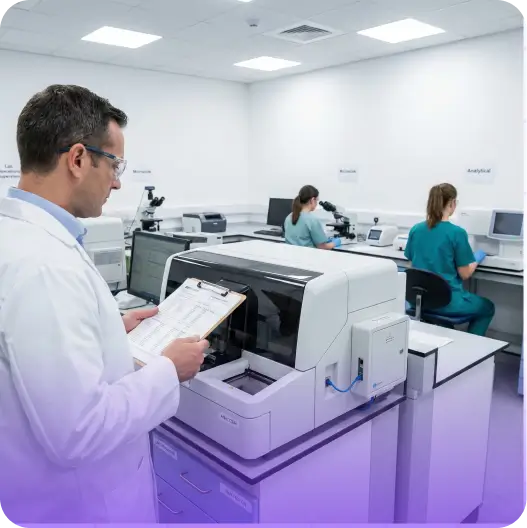

“PureVPN sets an example of what customer support should be like. PureVPN has great features and an easy-to-navigate portal. It’s clear that a lot of thought was put into the UI, which I believe is an often undervalued feature of systems in general.”

HelloRache: Healthcare Virtual Assistant Services
Nick Powell, Chief Information Officer

“PureVPN sets an example of what customer support should be like. PureVPN has great features and an easy-to-navigate portal. It’s clear that a lot of thought was put into the UI, which I believe is an often undervalued feature of systems in general.”
HelloRache: Healthcare Virtual Assistant Services
Nick Powell, Chief Information Officer
“PureVPN sets an example of what customer support should be like. PureVPN has great features and an easy-to-navigate portal. It’s clear that a lot of thought was put into the UI, which I believe is an often undervalued feature of systems in general.”
HelloRache: Healthcare Virtual Assistant Services
Nick Powell, Chief Information Officer
“PureVPN sets an example of what customer support should be like. PureVPN has great features and an easy-to-navigate portal. It’s clear that a lot of thought was put into the UI, which I believe is an often undervalued feature of systems in general.”
HelloRache: Healthcare Virtual Assistant Services
Nick Powell, Chief Information Officer
“PureVPN sets an example of what customer support should be like. PureVPN has great features and an easy-to-navigate portal. It’s clear that a lot of thought was put into the UI, which I believe is an often undervalued feature of systems in general.”
HelloRache: Healthcare Virtual Assistant Services
Nick Powell, Chief Information Officer
The right tool depends on where you actually are
Enterprise-grade access architecture is the right long-term direction. It’s just not the right first move for most healthcare SMBs right now.
SASE / ZTNA Rollout
- 6–18 month deployment timeline
- Requires dedicated project team & planning
- Significant upfront cost and vendor evaluation
- Replaces existing access infrastructure
- Legacy/on-prem tools often need re-engineering
- Overkill for 50-person clinics and small MSP clients
PureVPN for Teams
- Live in minutes with your existing setup
- One IT admin can own the entire deployment
- Predictable monthly cost, no long-term lock-in
- Works alongside your existing systems — no rip-and-replace
- Purpose-built for on-prem and legacy tool environments
- Right-sized for healthcare SMBs and MSP deployments
Case studies. Leading Teams
Case studies. Leading Teams
Be it remote access, compliance, limit user access, PureVPN has been go-to solution for global leaders and their teams.



Make remote access safer this week
Teams ask.
We answer.
Read on to frequently asked questions about PureVPN teams
Can we allowlist PureVPN IPs in our EHR or healthcare systems?


Yes. Each user or team can be assigned a static or dedicated IP address that can be allowlisted in systems such as EHR platforms, billing software, and internal tools. This ensures only approved connections can access your systems.
How long does deployment take?
Most healthcare teams are up and running within a few days. Setup typically involves inviting users, assigning IPs, and allowlisting them in your systems. No infrastructure changes are required.
Can remote staff and traveling clinicians use it?
Yes. Staff can securely connect from home, clinics, hospitals, or while traveling, while appearing to your systems as coming from a fixed allowlisted IP.
Can external vendors or billing partners use this?
Yes. Many healthcare teams use PureVPN for Teams to provide temporary, controlled access for vendors, such as billing partners, EHR support teams, or IT contractors. Access can be granted and revoked instantly.
Does it support MFA or SSO?
Yes. PureVPN for Teams supports multi-factor authentication (MFA) and can integrate with existing SSO providers, adding an extra layer of protection to every remote access session.
What happens when an employee or vendor no longer needs access?
Access can be revoked instantly from the admin dashboard. Once removed, the user can no longer connect through their assigned IP, preventing further access to allowlisted systems.