Invite
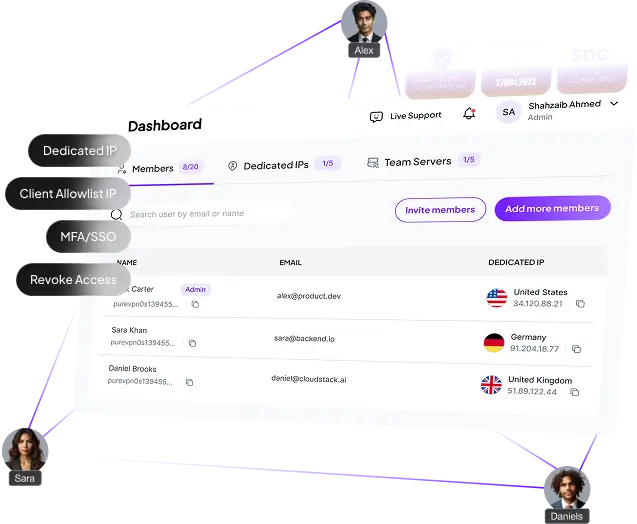
Add team members and manage access from one dashboard.
 4.5 out of 5
 4.7 out of 5
 Centralized dashboard to manage VPN access + billing
Dedicated IP your team or clients can allowlist
Secure remote access deployed in minutes
Centralized dashboard to manage VPN access + billing
Dedicated IP your team or clients can allowlist
Secure remote access deployed in minutes



Legacy access setups weren’t built for multi-client support and rotating vendors. Here’s what breaks down.
You keep reconfiguring access and chasing changing IPs. Allowlisting becomes fragile and time-consuming.
A vendor needs emergency access — and revoking later gets missed. You need to grant fast, revoke faster.
Consultants rotate, contractors finish, and access sticks around. That’s how incidents happen — and client trust gets damaged.
ZTNA/SASE is great for enterprise. But rolling it out across SMB clients takes months of planning and change — especially when you support a mix of cloud and + legacy client environments
PureVPN for Teams adds a controlled remote access layer you can deploy quickly
Give consultants, support engineers, and approved vendors a fixed IP your clients can allowlist — so access stays secure and predictable across client environments.
Provision users, manage billing, and revoke access fast from one dashboard.
Protect VPN logins with MFA and connect your existing SSO for cleaner, more controlled sign-ins.
Integrates with any cloud consoles, firewalls, admin panels, partner portals, and client systems that rely on approved IP access.
Minimal setup required. One admin can get your team live fast — and manage access from one dashboard.


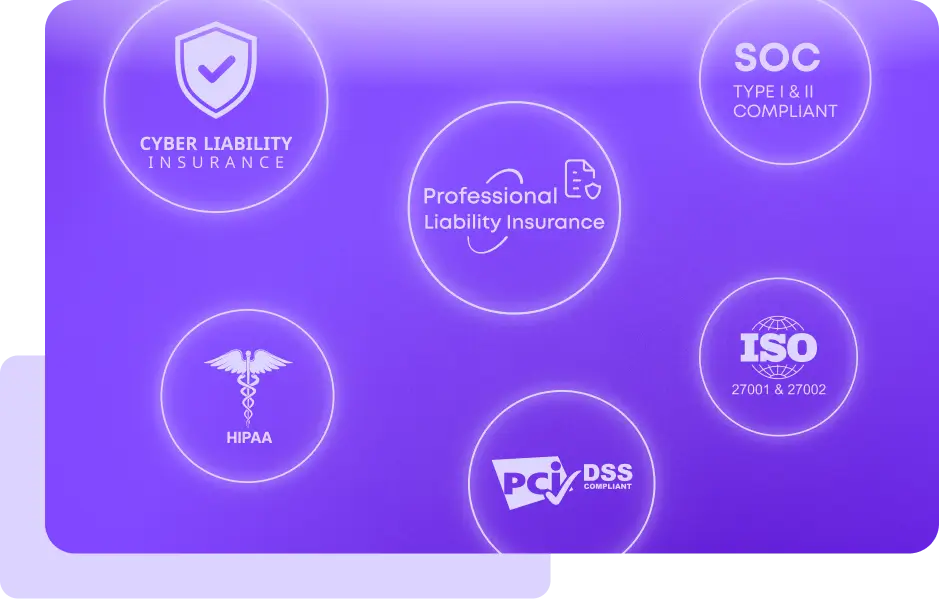
PureVPN for Teams supports access-control requirements commonly reviewed during enterprise security assessments and cyber insurance underwriting.
MFA, encryption, access visibility
access control, encrypted remote access, MFA
encrypted transmission and controlled remote access
secure access, encrypted transmission, and access controls
network security, identity and access management
“PureVPN sets an example of what customer support should be like. PureVPN has great features and an easy-to-navigate portal. It's clear that a lot of thought was put into the UI, which I believe is an often undervalued feature of systems in general.”

CIO at HelloRache

“PureVPN for Teams gave us the control and reliability we needed to securely connect a globally distributed workforce without slowing down operations. From day one, the onboarding was smooth, and our teams across multiple regions were able to access critical systems securely and consistently. The combination of strong access controls, compliance-ready features, and optimized performance has significantly improved both our security posture and day-to-day efficiency.”
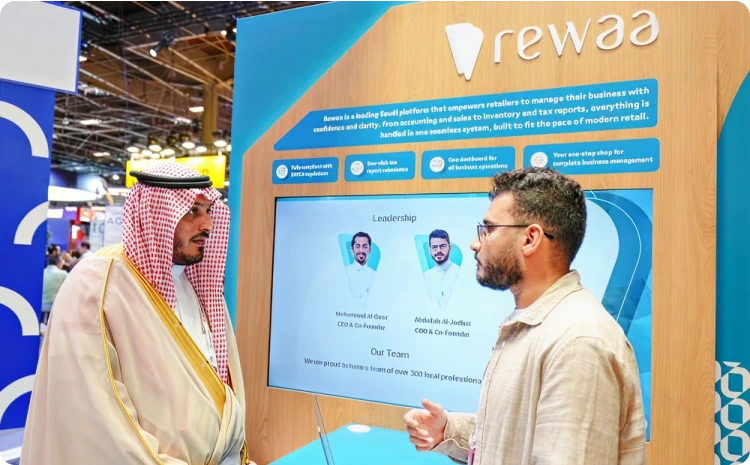
— IT Leadership, Rewaa
“PureVPN for Teams gave us the control and reliability we needed to securely connect a globally distributed workforce without slowing down operations. From day one, the onboarding was smooth, and our teams across multiple regions were able to access critical systems securely and consistently. The combination of strong access controls, compliance-ready features, and optimized performance has significantly improved both our security posture and day-to-day efficiency.”
— IT Leadership, Rewaa
“PureVPN for Teams gave us the control and reliability we needed to securely connect a globally distributed workforce without slowing down operations. From day one, the onboarding was smooth, and our teams across multiple regions were able to access critical systems securely and consistently. The combination of strong access controls, compliance-ready features, and optimized performance has significantly improved both our security posture and day-to-day efficiency.”
— IT Leadership, Rewaa
"PureVPN for Teams gave us the control and reliability we needed to securely connect a globally distributed workforce without slowing down operations. From day one, the onboarding was smooth, and our teams across multiple regions were able to access critical systems securely and consistently. The combination of strong access controls, compliance-ready features, and optimized performance has significantly improved both our security posture and day-to-day efficiency."
— IT Leadership, Rewaa
Enterprise-grade access architecture Is not the right move for many SMB clients.
Be it remote access, compliance, limit user access, PureVPN has been go-to solution for global leaders and their teams.
Read on to frequently asked questions about PureVPN teams


It’s built for multi-environment access. You can manage multiple client systems, assign dedicated IPs, and control access centrally—without relying on each client’s setup.
Yes. You can segment access by team, role, or client—ensuring strict isolation between different environments.
Yes. Dedicated IPs allow seamless integration with IP-restricted cloud dashboards, servers, and APIs across all major platforms.
Yes. With SSO, MFA enforcement, and detailed audit logs, it meets the expectations of enterprise-grade security and compliance.
Most consulting teams are up and running within minutes. No infrastructure setup or complex deployment required.