Invite
Add vendors and manage all access.
 Dashboard to manage VPN access + centralized billing
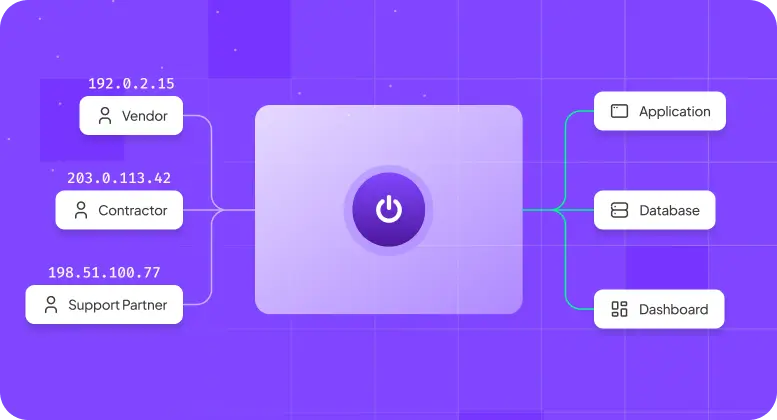
Dedicated IP your team or client can allowlist on protected tools
Fast grant and revoke — with MFA/SSO support
Dashboard to manage VPN access + centralized billing
Dedicated IP your team or client can allowlist on protected tools
Fast grant and revoke — with MFA/SSO support






Third-party access is usually urgent, temporary, and hard to clean up later. Here’s what breaks.

A support vendor, implementation partner, or specialist needs in now. But getting them in securely turns into tickets, approvals, and delay.

The work ends, but access stays. That’s where risk starts — and where trust breaks with clients, partners, or internal stakeholders.

When access is urgent, teams fall back to shared credentials, reused accounts, or one-off exceptions just to keep work moving.

If you need fast, centralized, and revocable access, a months-long security rollout isn’t the right first step.

Your internal tools, cloud consoles, and client systems often expect access from approved IPs. Vendors work from changing networks, so access breaks or gets loosened.

Unlike shared IPs, Dedicated IP makes you free from all type of robotic checks
PureVPN for Teams gives you a simple, controlled way to handle vendor access now — without rebuilding your environment or starting a dedicated security project.
Assign a dedicated IP to a vendor or contractor. You or your client can allowlist it for controlled access.
Provision users, manage billing, and revoke access fast from one dashboard.
Protect VPN logins with MFA and connect your existing SSO for cleaner, more controlled sign-ins.
Integrates with any cloud consoles, firewalls, admin panels, partner portals, and client systems that rely on approved IP access.
Minimal setup required. One admin can get the team live quickly — no additional security overhead, no long implementation.


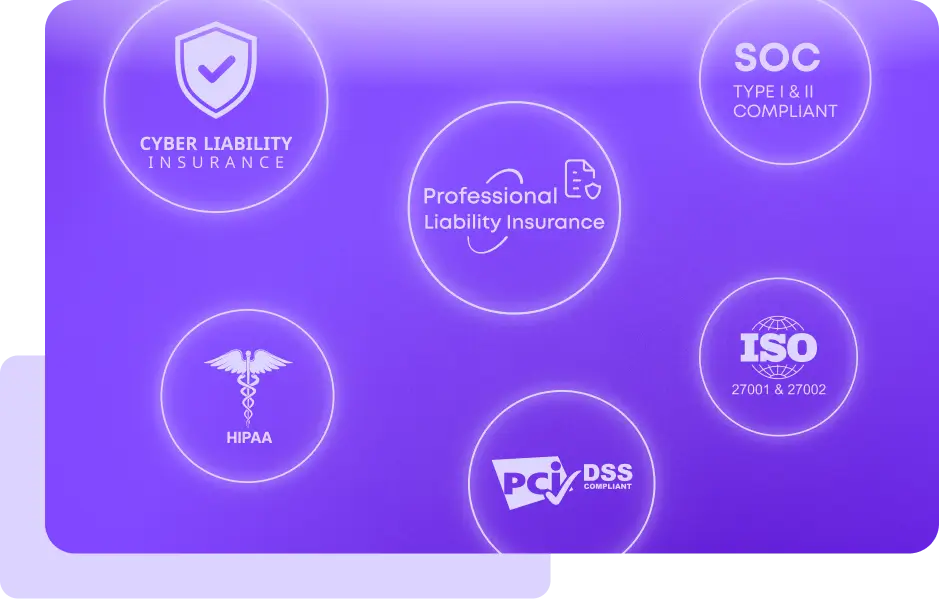
PureVPN for Teams supports access-control requirements commonly reviewed during enterprise security assessments and cyber insurance underwriting.
MFA, encryption, access visibility
access control, encrypted remote access, MFA
encrypted transmission and controlled remote access
secure access, encrypted transmission, and access controls
network security, identity and access management
“PureVPN sets an example of what customer support should be like. PureVPN has great features and an easy-to-navigate portal. It’s clear that a lot of thought was put into the UI, which I believe is an often undervalued feature of systems in general.”

CIO at HelloRache

“PureVPN sets an example of what customer support should be like. PureVPN has great features and an easy-to-navigate portal. It’s clear that a lot of thought was put into the UI, which I believe is an often undervalued feature of systems in general.”
CIO at HelloRache
“PureVPN sets an example of what customer support should be like. PureVPN has great features and an easy-to-navigate portal. It’s clear that a lot of thought was put into the UI, which I believe is an often undervalued feature of systems in general.”
CIO at HelloRache
“PureVPN sets an example of what customer support should be like. PureVPN has great features and an easy-to-navigate portal. It’s clear that a lot of thought was put into the UI, which I believe is an often undervalued feature of systems in general.”
CIO at HelloRache
“PureVPN sets an example of what customer support should be like. PureVPN has great features and an easy-to-navigate portal. It’s clear that a lot of thought was put into the UI, which I believe is an often undervalued feature of systems in general.”
CIO at HelloRache
Be it remote access, compliance, limit user access, PureVPN has been go-to solution for global leaders and their teams.
Read on to frequently asked questions about PureVPN teams


No. PureVPN provides the Dedicated IP. You or your client allowlists that IP on the tools or systems you protect.
Yes. You can assign a dedicated IP to an individual user or use a shared setup depending on how you want to manage access.
Yes. Access can be removed centrally from the dashboard when the project, support task, or engagement ends.
Not for every company. It is the right fit for teams that need secure, controlled access now without the overhead of a larger security rollout.
Teams with 10–150 employees, remote or hybrid work, third-party vendors, and systems that rely on approved IPs or controlled access.